omabox on Omarchy
Born on Omarchy, fullest there.
omabox started as a way to test Omarchy plugins without touching the bar you work in. On Omarchy, a box is Omarchy: its own Hyprland config and shell (bar, menu, tray, notifications), with your theme, bar layout and terminal settings. What's on this page is Omarchy's alone.
Plugins
Your bar, in a box.
Check a plugin against the bar you really use, or alone in one that isn't yours. Your own bar never changes while you work.
--desk-shell
Your whole shell
up --desk-shell brings every plugin in ~/.config/omarchy/plugins, your
shell.json as it is, and the files your plugins read. Never api-keys.env, nor anything
named or holding a key, token, secret or password. up lists what went in and what didn't, and why.
$ omabox up --desk-shell --plugin ~/code/myplugin # your working copy wins
--plugin
One plugin, in a bar that isn't yours
--plugin mounts it read-only and says why the shell didn't load it: a manifest it refuses, a QML error.
--stock-bar shows it in Omarchy's default bar, as most people will see it.
$ omabox up --plugin ~/code/myplugin
$ omabox restart-shell   # after each edit
$ omabox log shell --grep qml -n 20
Settings
Its settings, said
A box gets your plugins' settings; up names each one a plugin reads, and
--no-seed extensions starts a box as a new Omarchy user.
$ omabox up --plugin ~/code/myplugin --no-seed extensionstree --layer
Read the bar as text
tree --layer omarchy-bar reads a panel's or plugin's accessibility tree, for items that set a role.
(Omarchy's own bar publishes none today; a plugin can.)
$ omabox tree --layer omarchy-barWith an agent
Steps written for your desktop, done in a box
Your project's instructions say "link the plugin into ~/.config/omarchy/plugins", "edit
shell.json", "run omarchy plugin add". The omabox skill has the agent do each of them in
its box instead: those are file writes, and your bar would change at once.
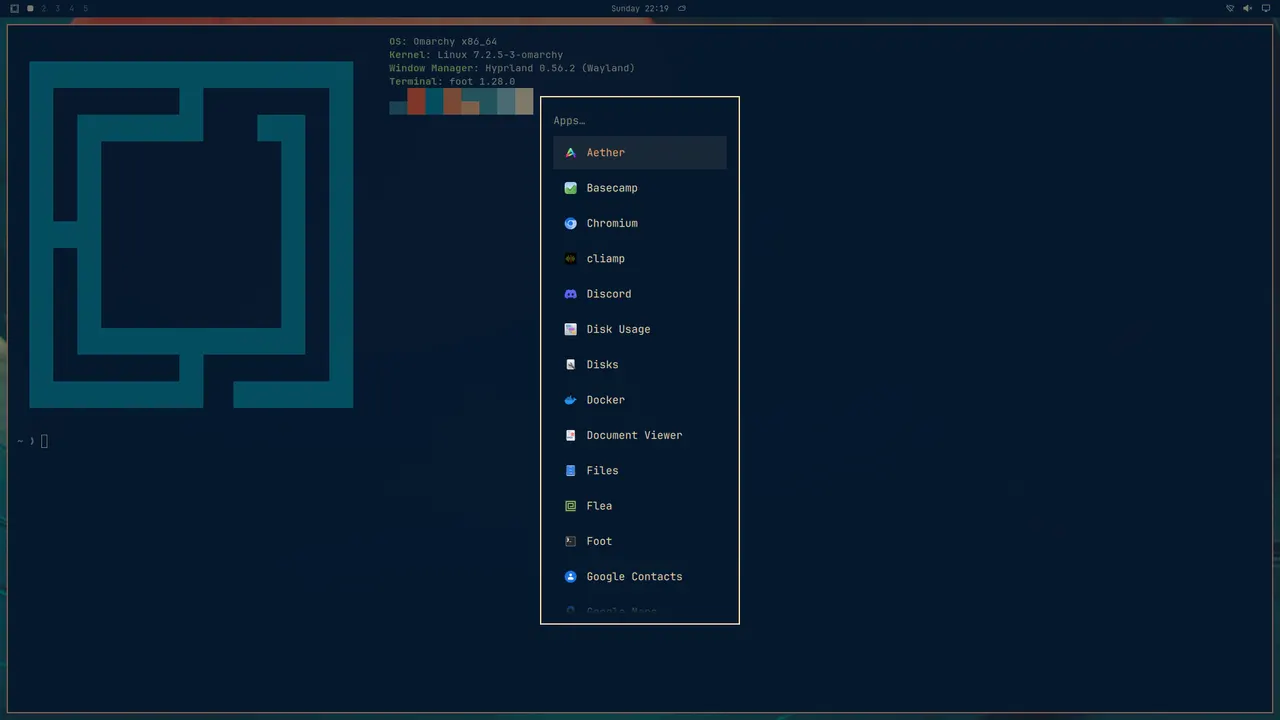
omabox shot.Themes
Your theme, live.
--theme-dir puts the theme you are editing in the box, every save with it; --theme starts a
box on the theme you name, whatever your desktop is on. omarchy-theme-set in the box applies an edit.
$ omabox up --theme-dir ~/code/my-theme --theme my-theme
$ omabox run -- omarchy-theme-set my-theme   # after an edit
$ omabox up stock --stock-bar --theme tokyo-night
Checks
A clean Omarchy, for checks.
up --clean: Omarchy's bar on tokyo-night, a solid magenta wallpaper (any of it inside a window is a
hole), the bar's clock frozen at Friday 12:00, English in UTC, no pointer, no network, no fonts of yours, no
animations. A baseline is the same image on every machine. --keep takes back what a test needs.
$ omabox up --clean
$ omabox up --clean --keep fonts,pointer
Visual checks →
Omarchy itself
Omarchy's own checkout and stack.
--omarchy
Your checkout, never installed
up --omarchy DIR runs a box on that tree's config, shell and scripts, as omarchy dev link
would, without touching your system.
$ omabox up dev --omarchy ~/src/omarchy
$ omabox hyprctl reload
--quickshell
Your Quickshell build
up --quickshell PATH runs the box's shell on a Quickshell build of yours.
$ omabox up --quickshell ~/code/quickshell/build/src/quickshellBinds and tests
Omarchy's own binds work
The browser bind opens the browser in the box, the shell restart restarts the box's shell. Omarchy's own shell tests pass in one.
Omarchy 4.5
Ready for Omarchy 4.5.
omabox 1.0.0 runs boxes on Omarchy 4.0 and 4.5 (1.1 will need 4.5). On 4.5, a box's windows can open on a workspace of omabox's own,
special:omabox, opened by the widget's Show. The first shot after up waits for 4.5's intro
cover.
The bar widget
Every box, from your bar.
The omabox mark in your bar lists every box, with peek, screenshot and down for each, keys-to-box and the clipboard for an interactive one, and an orphan box (one nobody will take down) said on its row.
The copy here works: click a box, or focus the panel and use its keys. Its gear opens the settings.
$ omabox down --orphans
Peek and interactive boxes →Your desktop. The boxes are elsewhere, invisible, until you peek.
A working copy of the widget's panel in omabox 1.0.1. The boxes are made up; the screenshots are real.
Coming
What stays Omarchy's when plain boxes come.
When plain Hyprland boxes ship, the bar, --desk-shell, --plugin,
--theme and the stock-bar checks stay Omarchy's. On a plain box they are refused, with what they need.
Give every agent a desktop of its own.
git clone https://github.com/diogochaves/omabox && cd omabox && ./install.shToday on Omarchy 4 · Hyprland 0.56+ · AMD, Intel or NVIDIA · MIT